
Hacking IoT Microscope - Open WiFi and Unencrypted Video Stream
🔬 A Gift for My Father
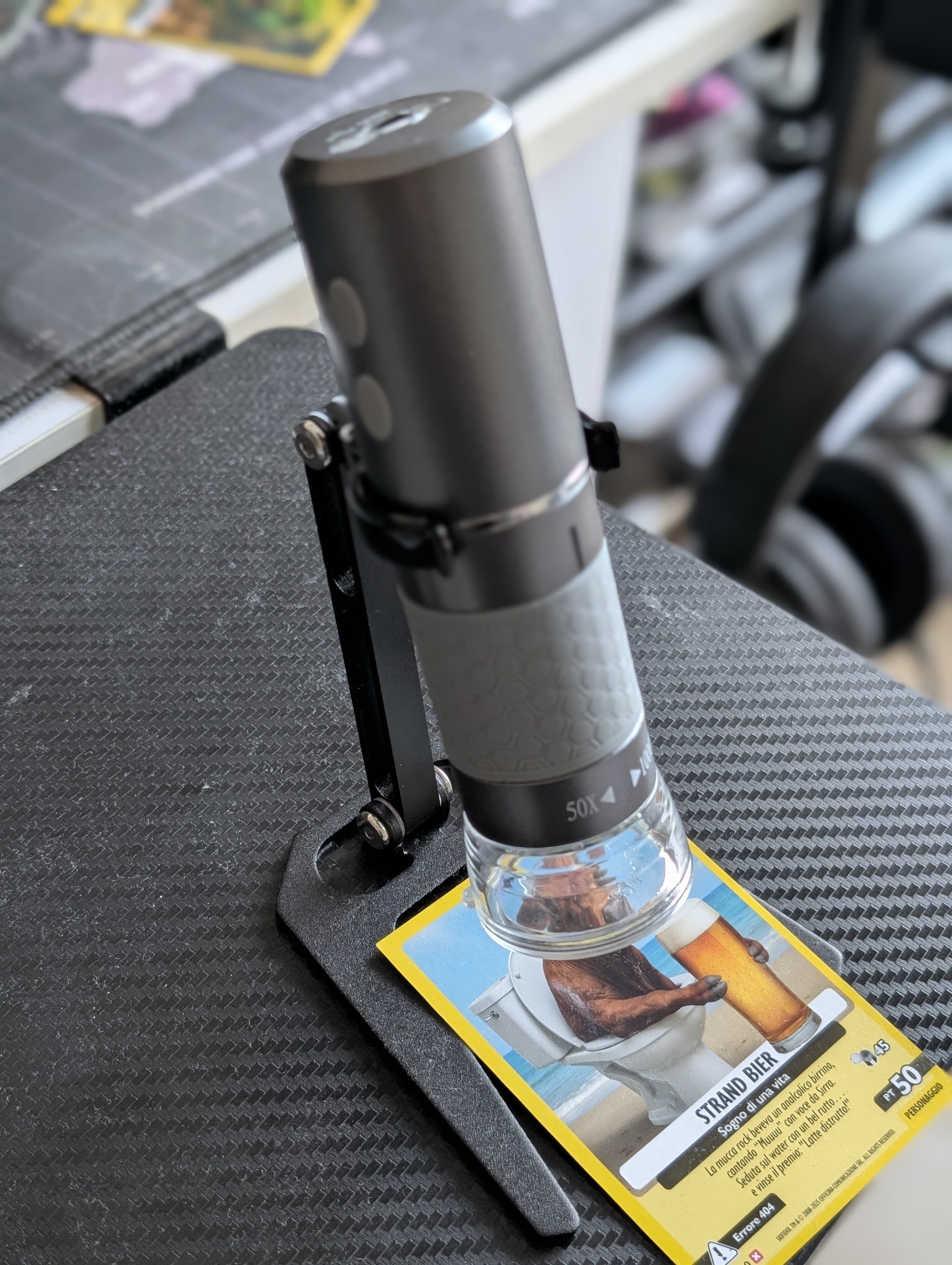
My father got an IoT microscope as a gift, one of those modern ones with a built-in camera. The idea is pretty cool: you turn on the microscope, it creates its own WiFi network, you connect with your phone, open an app, and boom - you can see on your screen what’s under the objective. Perfect for examining anything small without having to squint through an eyepiece.
When we started using it, I noticed something weird: the WiFi network was wide open, no password. And of course, being me, this made me think… what else could be wrong? What started as a quick look turned into a full-blown discovery of security holes.
📡 How It Works (or Should Work)
Before diving in, let me explain how this thing is supposed to work:
- You power on the microscope and it creates a WiFi network
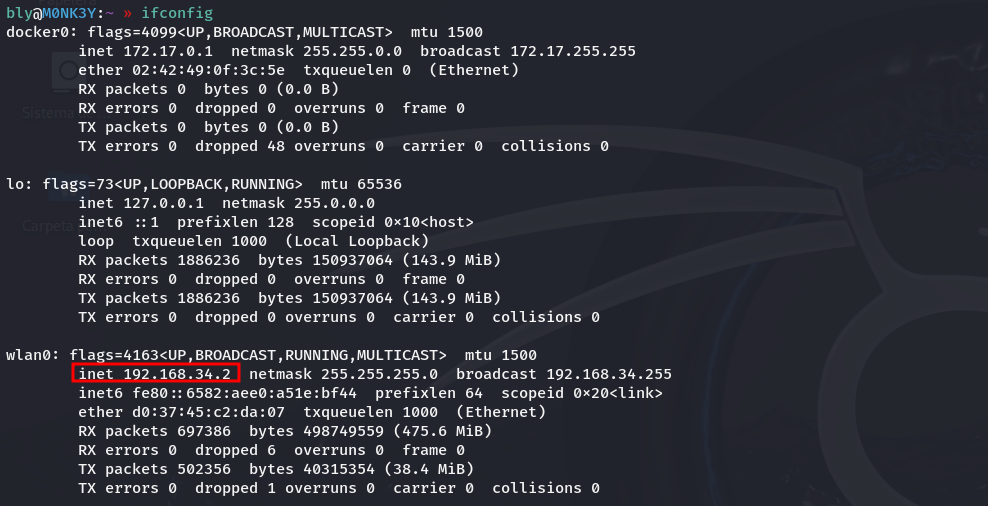
- The network is 192.168.34.0/24, where the microscope itself sits at 192.168.34.1
- Your phone connects and gets assigned IP 192.168.34.3
- With the manufacturer’s “Wifi Check” app, you see the video
- The microscope has ports 8080 and 8081 open, and the video streams through 8080 in H.264 format
Sounds fine so far, right? Well, not really.
🚨 No Password: The First Problem
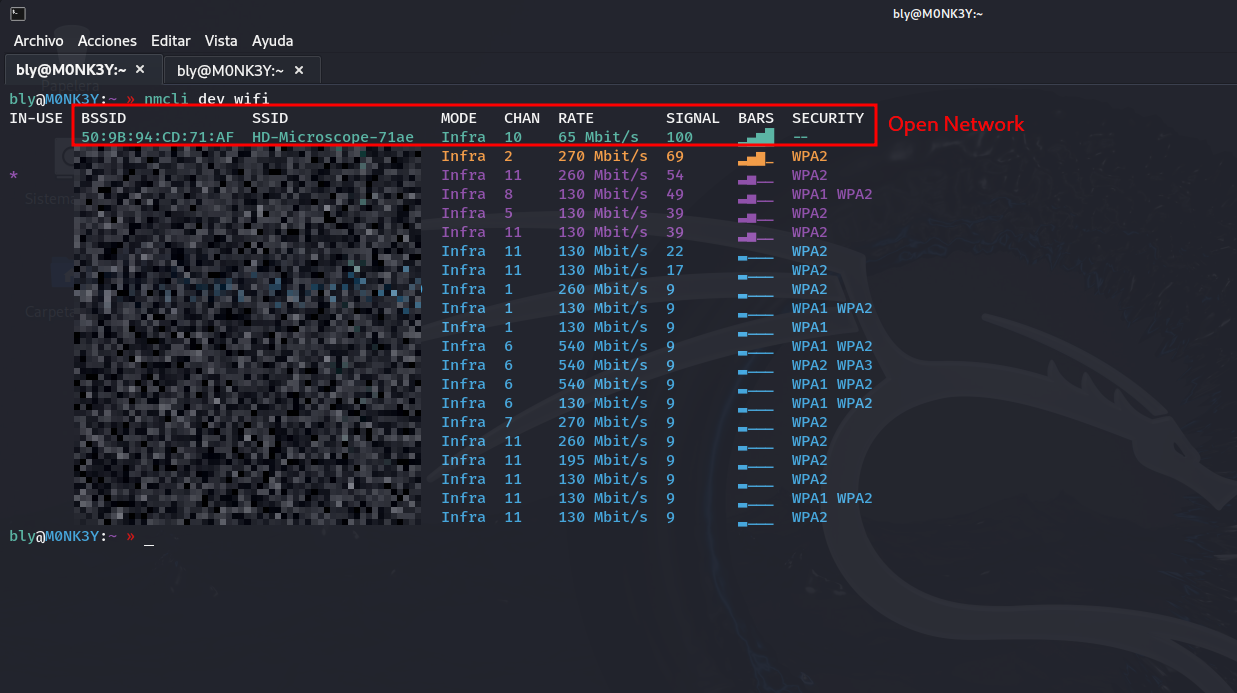
First thing that jumps out: the WiFi is wide open. No password, no WPA, nothing. Anyone walking by with their phone can just connect.
And here’s where it gets bad. Imagine using this in a hospital to look at patient samples, or in a research lab, or for quality control in a company. Well, turns out any neighbor with a phone can:
- Connect without you knowing
- Watch the live video feed
- See whatever you’re examining
So yeah, if you’re looking at something sensitive, you might have someone looking over your shoulder without realizing it.
🔍 Taking a Look at the Network
Alright, I connect and first thing I do is a quick port scan to see what’s open:
What I found:
- Port 8080: This is where the H.264 video streams through
- Port 8081: Another service (probably to control the microscope)
And the best part: port 8080 is open for anyone to view. No username, no password, nothing.
📹 Watching the Video (No App, No Nothing)
With the manufacturer’s “Wifi Check” app, the video looks great…
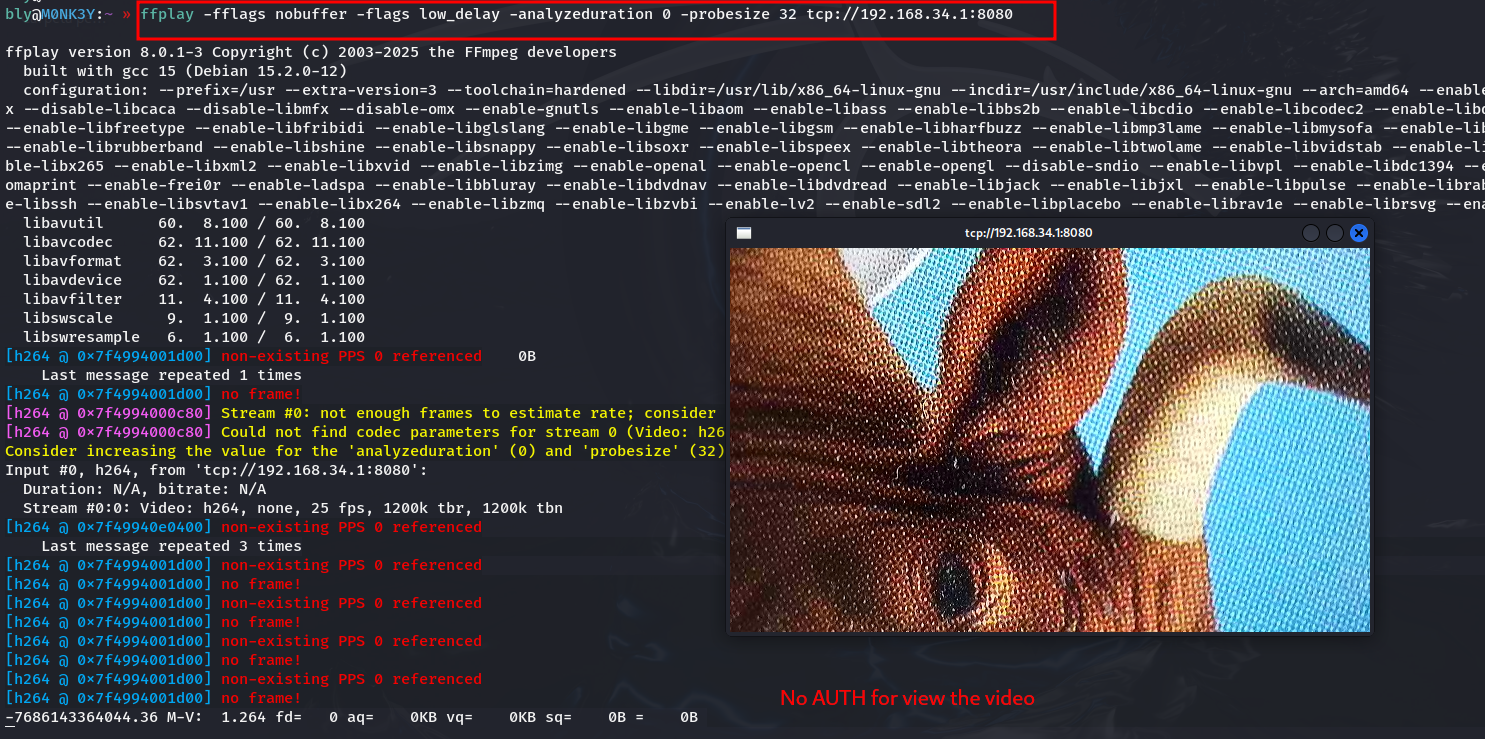
But you don’t even need the app. The video is unencrypted and in H.264 format.
To watch the video, all you need to do is:
- Connect to the open WiFi
- Open via tcp
192.168.34.1:8080in any player - Done, you’re now watching the same thing as the microscope owner
That simple. VLC, ffplay, or anything that plays H.264.
📡 Even Worse: You Don’t Even Need to Connect
But wait, there’s more. Since the WiFi is open and the video isn’t encrypted, you don’t even need to connect to the network to see what they’re doing.
Monitor Mode: Spying Without a Trace
With a WiFi adapter in monitor mode and tools like Wireshark or airodump-ng, you can capture all the network traffic without anyone knowing. It’s like listening through the wall.
How it’s done:
First, put your WiFi card in monitor mode:
sudo airmon-ng start wlan0
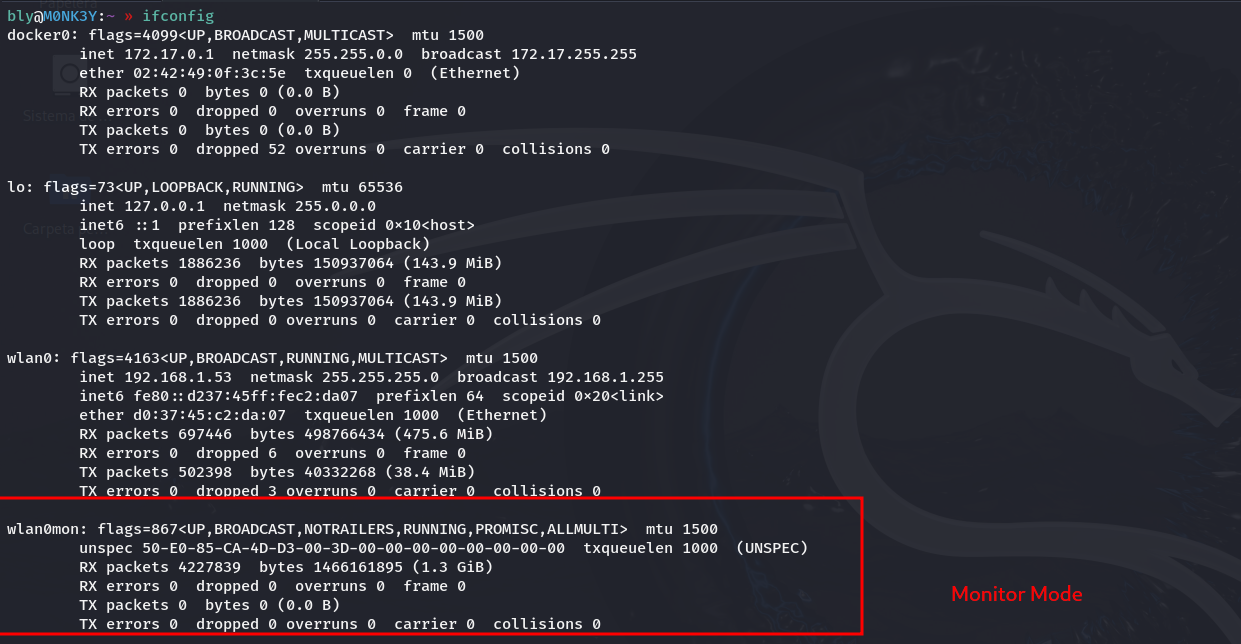
Then capture everything going through the air:
sudo airodump-ng \
  --bssid 50:9B:94:CD:71:AF \
  -c 10 \
  -w cam \
  wlan0mon
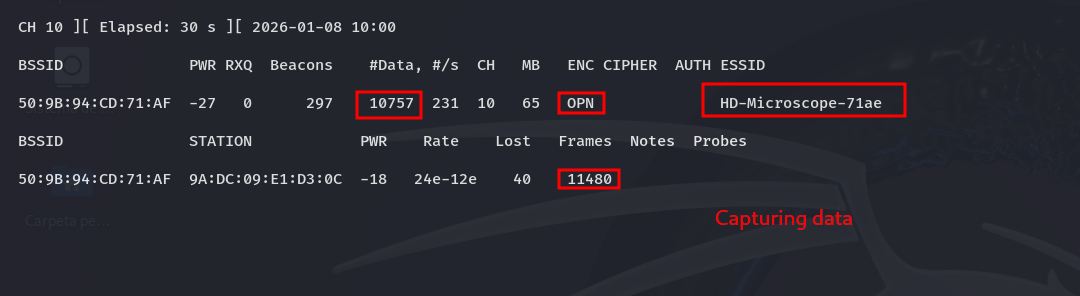
And then open it in Wireshark to see what you got:
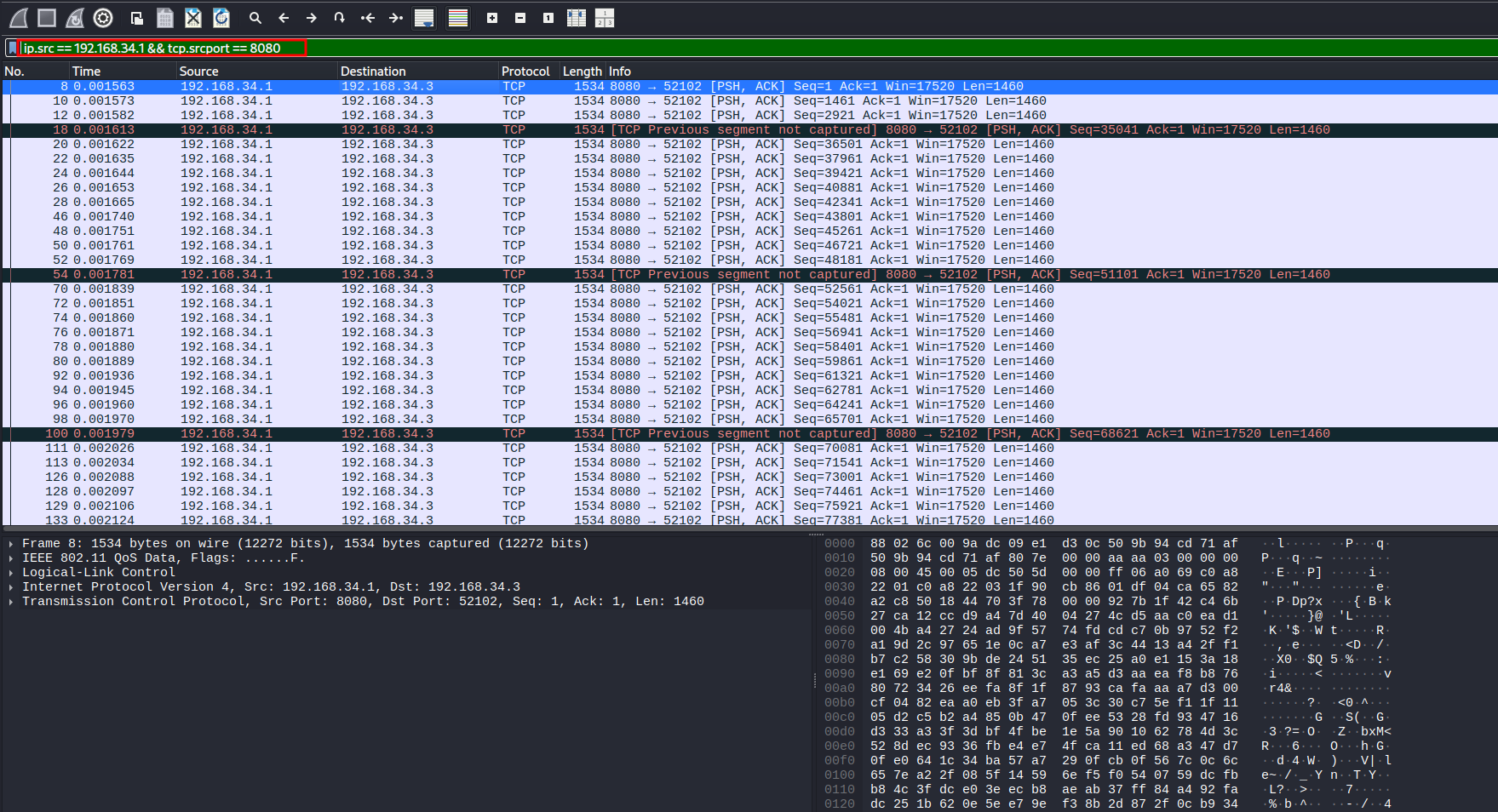
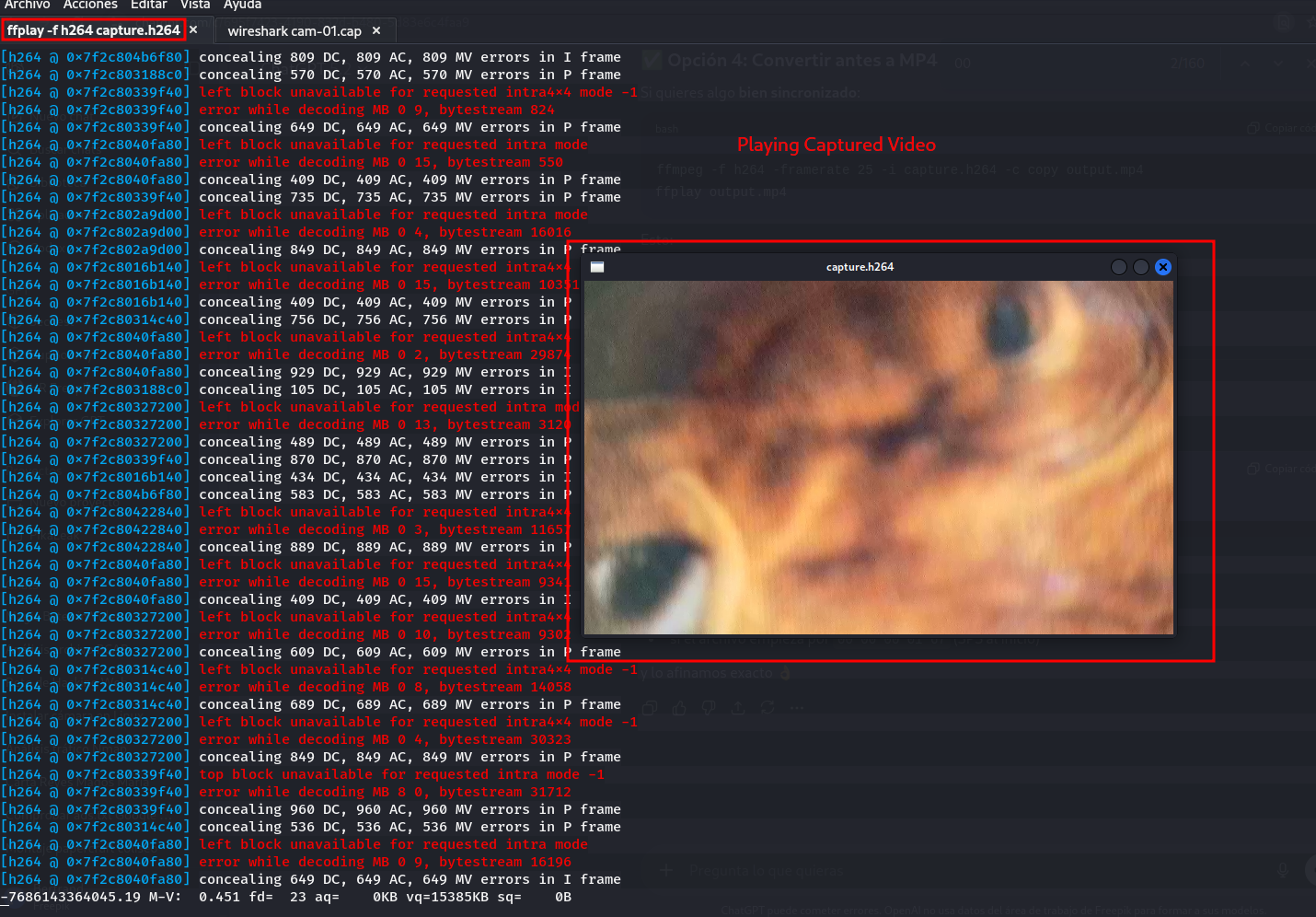
If we follow the TCP packet sequence and save them in raw .h264 format we can get the video
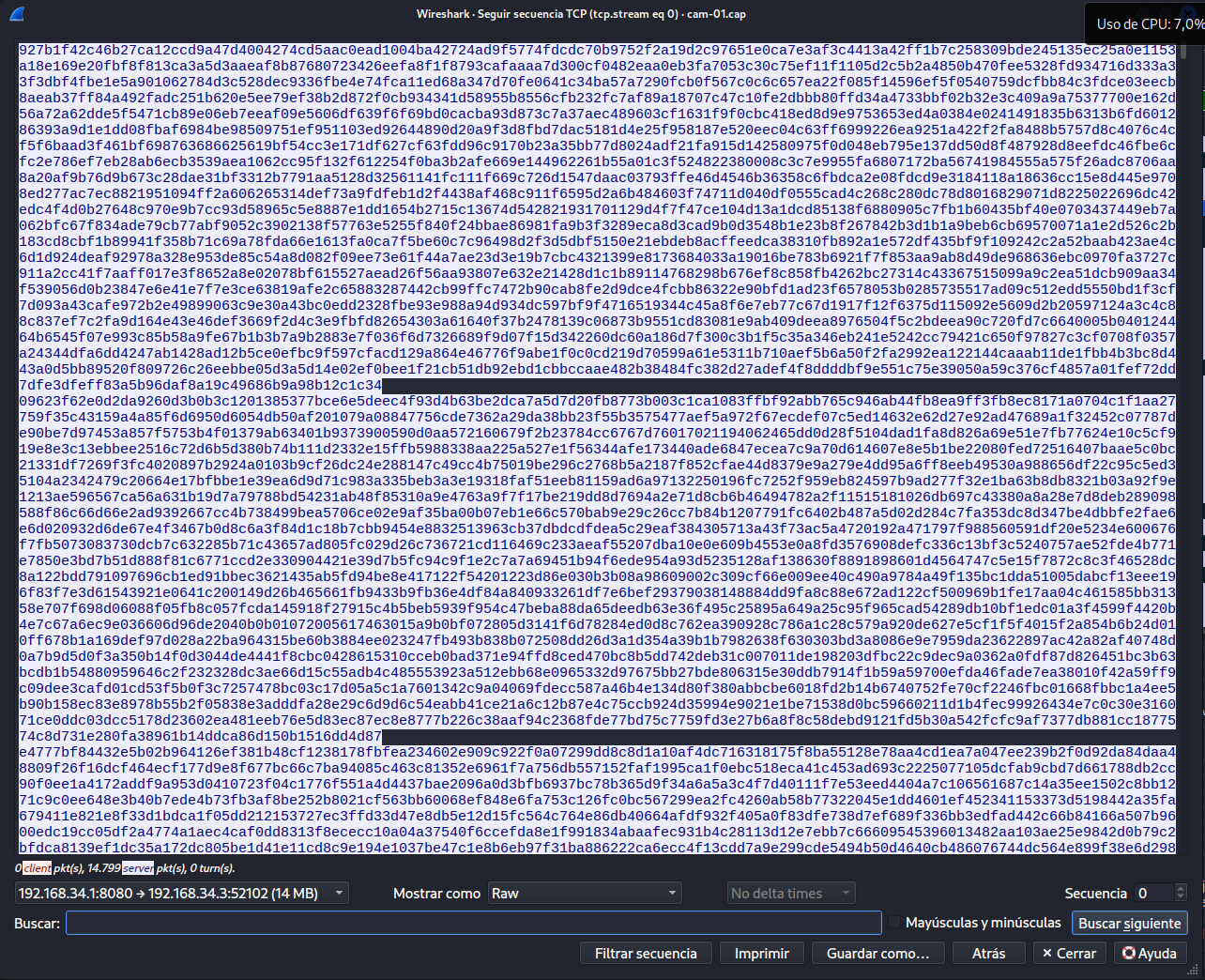
Since the video is in plaintext, the packets contain the entire video. Plus nobody knows you’re there. It’s completely passive.
💭 Summary of the Flaws
1. Open WiFi
The problem: No password, no WPA, nothing What happens: Anyone connects just like that
2. Unencrypted Video
The problem: The H.264 goes in plaintext through the air What happens: You can capture it and watch it without anyone knowing
3. No Authentication
The problem: Port 8080 is open to whoever wants it What happens: If you’re on the network, you see the video directly
4. Passive Spying Possible
The problem: Open WiFi + unencrypted video = disaster What happens: Someone could be recording everything from their car without you knowing they’re there
🎓 What We Can Learn
If You’re a Manufacturer:
- Put a password on the WiFi: Please, even if it’s a default one, something. Don’t leave it open.
- Encrypt the video: HTTPS/TLS exists for a reason, use it.
- Ask for authentication: Even basic username and password, but ask for something.
- Security by default: Make it secure out of the box, not something the user has to configure.
- Think about what it’ll be used for: A microscope could end up in a hospital or lab. Can’t just be anything.
If You’re a User:
- Don’t trust that it works: Just because it looks nice doesn’t mean it’s secure.
- Think about what you’re looking at: If it’s something sensitive, maybe that cheap IoT microscope isn’t the best idea.
- Isolate IoT stuff: If you can, keep these things on their own network, away from your important stuff.
- Complain: If you buy something like this and see it’s a security disaster, tell the manufacturer. Maybe they’ll get the message.
🚀 Conclusion
What was supposed to be helping my father set up his new microscope ended up being discovering one security hole after another. This gadget, which could easily be in a hospital, research lab, university, or factory, doesn’t have even the most basic security.
Open WiFi + unencrypted video = anyone passing by can see what you’re looking at. Either by connecting directly or capturing traffic from their car.
Where This Can Go Wrong:
- Hospitals: Patient samples available to anyone
- Labs: Your super secret research, not so secret
- Companies: Quality control that the competition can watch
- Universities: Student work that any joker can copy
Another example of how in IoT, security is thought about at the end, if at all. The technology is cool, sure, but what good is it if anyone can spy on what you’re doing.
Note: This analysis was performed on a device owned by my family in a controlled environment. No third-party data was accessed. The purpose is purely educational to raise awareness about IoT security issues.